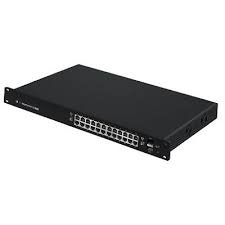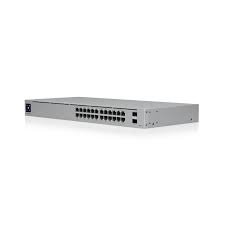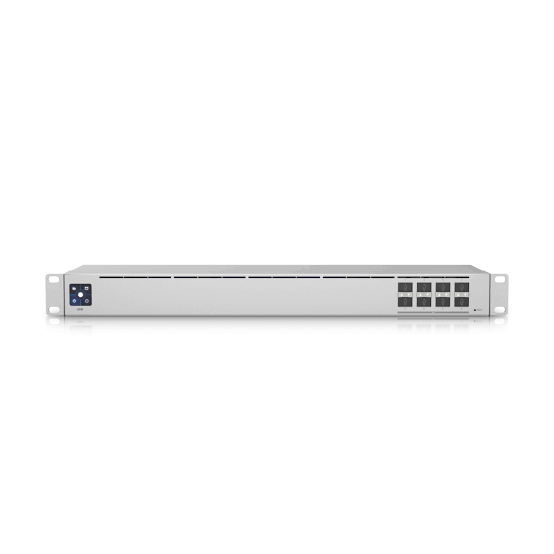
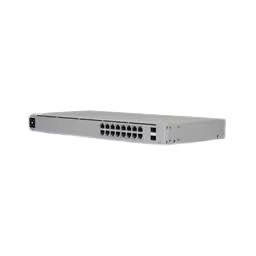
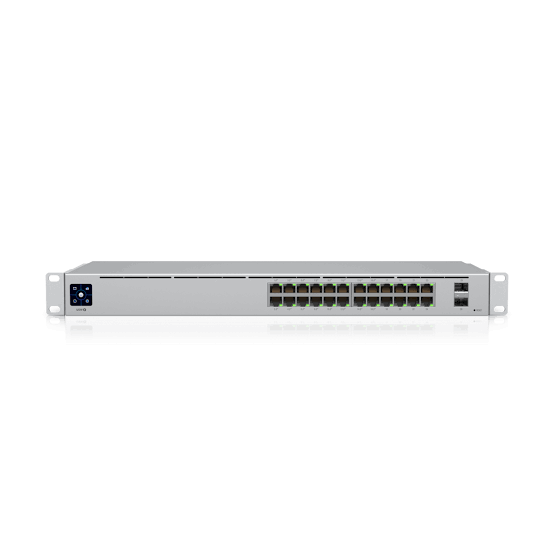
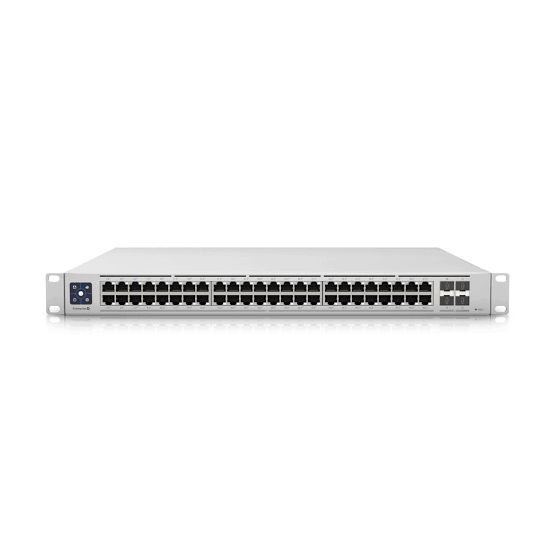
The Ubiquiti UniFi USW-16-PoE is a fully managed Layer 2 switch with sixteen Gigabit Ethernet ports. Eight of those ports supply 802.3at PoE+ power, sharing a 42W PoE budget. In addition, two 1G SFP ports provide fibre uplinks.
In practical terms, the USW-16-PoE brings a small office or branch site into a single 1U rack unit. It powers phones, access points, and cameras, and it links to other buildings over fibre.
What the USW-16-PoE Does in a Network
Many small offices start with a desktop switch on a shelf. Over time, however, cabling grows and a proper comms cabinet becomes necessary. At that point, a rackmount switch keeps everything tidy and secure.
The USW-16-PoE fits that role. It mounts in a standard 19″ rack, connects sixteen devices, and powers eight of them. Furthermore, its two SFP ports link it to a core switch or another building over fibre.
Moreover, because the USW-16-PoE is a UniFi switch, it appears in the same dashboard as your UniFi gateway and access points. Therefore, VLANs and port profiles are set once and applied across the network.
16 Gigabit Ports: 8 PoE+ and 8 Standard
The USW-16-PoE has sixteen RJ45 ports. Each port supports 10, 100, and 1000 Mbps.
The port split is as follows:
- 8 × PoE+ ports (802.3af/at). These power IP phones, Wi-Fi access points, and IP cameras.
- 8 × standard Gigabit ports. These connect PCs, printers, NVRs, or the router uplink.
In addition, the PoE+ ports are auto-sensing. They supply power only when a connected device requests it. As a result, PCs and printers can safely use any port.
PoE Budget: What 42W Can Power
The total PoE budget on the USW-16-PoE is 42W. This is shared across all eight PoE+ ports. In other words, the eight PoE ports suit low-power devices rather than high-draw ones.
For example, typical loads include:
- IP desk phones – usually 3W to 6W each
- Fixed IP bullet or dome cameras – often 4W to 8W each
- UniFi Wi-Fi access points – most draw 6W to 13W each
As a result, eight IP phones or six fixed cameras fit within 42W. However, three or four access points can use most of the budget. For this reason, we recommend adding up each device’s rated power before purchase.
Note that the USW-16-PoE has a smaller PoE budget than the desktop USW-Lite-16-PoE (45W). Its advantages lie elsewhere: rack mounting, SFP uplinks, a steel chassis, and a touchscreen. If PoE power is the priority, the USW-24-PoE (95W) or USW-Pro-8-PoE (120W) are better matches.
Two 1G SFP Uplink Ports
The USW-16-PoE includes two SFP ports running at 1 Gbps. These accept 1G multi-mode or single-mode fibre modules (sold separately).
This means you can:
- Link to another building or floor over fibre, beyond the 100 m copper limit
- Uplink to a core switch without using one of the sixteen RJ45 ports
- Bond both SFP ports with LACP for a 2 Gbps uplink with failover
Note that these are 1G SFP ports, not 10G SFP+. Therefore, sites planning a 10G backbone should consider a Pro-series switch.
Switching Performance
The USW-16-PoE switches all ports at Gigabit line rate. Here is what the figures mean:
- 36 Gbps switching capacity. This is eighteen ports (16 RJ45 + 2 SFP) × 1 Gbps × 2 (full duplex).
- 18 Gbps non-blocking throughput. Every port can send and receive at full speed at the same time.
- 27 Mpps forwarding rate. This covers small-packet traffic such as VoIP calls without dropped frames.
- 0.5 MB packet buffer. This absorbs short bursts of traffic.
- 8,000-entry MAC address table. This is ample for a small office or branch.
Layer 2 Management and Security Features
The USW-16-PoE carries the full UniFi Layer 2 feature set. This means you can separate and secure traffic for staff, guests, cameras, and phones.
Key features include:
- Up to 1,000 VLANs plus Voice VLAN for separating staff, guest, CCTV, and VoIP traffic
- LACP link aggregation for bonded uplinks
- STP and RSTP with loop protection to stop broadcast storms
- IGMP snooping with querier, fast leave, and router port options for multicast video
- 802.1X control for port-based access
- DHCP snooping and guarding to block rogue DHCP servers
- MAC-based and IP-based ACLs (128 entries each) with device and network isolation
- Port isolation, port mirroring, and MAC-based port restriction
- Storm control, egress rate limiting, flow control, and multicast/broadcast rate limiting
- Jumbo frames and LLDP-MED for automatic phone and device discovery
Inter-VLAN routing is handled by your UniFi gateway, since the USW-16-PoE is a Layer 2 switch.
Managed Through UniFi Network
The USW-16-PoE is configured in the UniFi Network application (version 7.2.94 and later) and the UniFi mobile app. Once adopted, you can assign VLANs, apply port profiles, and monitor traffic on each port.
Furthermore, you can power-cycle any PoE port remotely. For example, a frozen camera or access point can be restarted without a site visit.
In addition, the front panel has a 1.3″ colour touchscreen. It shows the switch’s IP address, adoption state, and port activity at a glance. Port LEDs show PoE, link speed, and activity.
Fanless 1U Rackmount Design
The USW-16-PoE is a 1U, 19″ rackmount switch built from SGCC steel. Rack-mount brackets are included. Alternatively, it can sit on a desk or shelf.
According to Ubiquiti’s datasheet, the switch uses a fanless thermal design. As a result, it runs silently in cabinets placed near work areas. However, Ubiquiti advises that fanless switches must not be stacked directly on top of each other. Therefore, leave a gap or a blanking panel between units in the rack.
The chassis is 200 mm deep and supports rack depths from 400 mm to 1,200 mm. This means it fits standard wall-mount cabinets as well as floor-standing racks.
Built-In Power Supply and Power Draw
The USW-16-PoE has an internal 60W power supply. It runs directly from 100–240V AC mains, so there is no external adapter.
The switch draws 18W without PoE load and up to 60W with full PoE output. Heat output is 61.4 BTU/hr.
For Kenyan offices that rely on a UPS or inverter during KPLC outages, this modest draw is easy to support. Because the switch powers your phones and cameras directly, one small UPS on the USW-16-PoE keeps them online during a power cut.
Build Quality and Environmental Ratings
The steel enclosure carries ESD protection of ±16 kV air and ±12 kV contact discharge. It also meets ETSI 300-019-1.4 for shock and vibration.
The USW-16-PoE is rated for -5°C to 40°C and 10–90% non-condensing humidity. Since it is fanless, airflow around the unit matters, particularly in warmer locations such as Mombasa.
USW-16-PoE vs. USW-Lite-16-PoE vs. USW-24-PoE
Buyers often compare the USW-16-PoE with the nearest UniFi models:
- USW-Lite-16-PoE: 16 × GbE, 8 × PoE+, 45W budget, no SFP, polycarbonate desktop/wall unit
- USW-16-PoE: 16 × GbE, 8 × PoE+, 42W budget, 2 × 1G SFP, steel 1U rackmount, touchscreen
- USW-24-PoE: 24 × GbE, 16 × PoE+, 95W budget, 2 × 1G SFP, steel 1U rackmount, touchscreen
In short, the USW-16-PoE suits sites that need a rack switch with fibre uplinks but only modest PoE. The Lite-16 suits desktop setups without fibre. The USW-24-PoE suits sites with more ports or more PoE devices.
Frequently Asked Questions
How many PoE ports does the USW-16-PoE have?
The USW-16-PoE has eight PoE+ ports. The other eight RJ45 ports are standard Gigabit ports without PoE.
What is the PoE budget of the USW-16-PoE?
The total PoE budget is 42W, shared across the eight PoE+ ports.
What is the difference between the USW-16-PoE and the USW-Lite-16-PoE?
Both have sixteen Gigabit ports and eight PoE+ ports. However, the USW-16-PoE adds two 1G SFP ports, a steel 1U rackmount chassis, and a touchscreen. The USW-Lite-16-PoE is a desktop unit with a slightly larger 45W PoE budget and no SFP ports.
Does the USW-16-PoE have SFP ports?
Yes. It has two 1G SFP ports for fibre uplinks. These do not support 10G SFP+ modules.
Is the USW-16-PoE fanless?
Yes. Ubiquiti’s datasheet describes a fanless, silent thermal design. However, Ubiquiti advises against stacking fanless switches directly on top of each other.
Is the USW-16-PoE a Layer 3 switch?
No. The USW-16-PoE is a managed Layer 2 switch. Inter-VLAN routing is handled by the UniFi gateway.
Who Is the USW-16-PoE Best Suited For?
- Small offices moving to a comms cabinet. Sixteen Gigabit ports in a steel 1U chassis with included brackets bring cabling into one rack.
- Branch sites linked by fibre. Two 1G SFP ports connect to head office or another block beyond the 100 m copper limit.
- Offices with IP telephony. Eight PoE+ ports and a 42W budget power up to eight low-draw IP phones, with Voice VLAN and LLDP-MED handling setup.
- Small CCTV cabinets. Eight PoE+ ports power fixed cameras, eight standard ports connect the NVR, and IGMP snooping manages multicast video.
- Cabinets near work areas. The fanless design runs silently, and the 200 mm chassis fits shallow wall-mount cabinets.
- Sites on backup power. An 18W base draw and 60W maximum put a light load on a UPS during outages.
- IT contractors and MSPs. UniFi Network, remote PoE power-cycling, and the touchscreen simplify setup and support across client sites.
USW-16-PoE Technical Specifications
General
| Specification | Detail |
|---|---|
| Brand | Ubiquiti |
| Product Line | UniFi Switching |
| Model | USW-16-PoE |
| Switch Type | Fully managed Layer 2 Gigabit PoE switch |
| Form Factor | 1U rackmount (19″) / desktop |
| Cooling | Fanless (per datasheet) |
| Compliance | NDAA compliant |
Interfaces
| Specification | Detail |
|---|---|
| RJ45 Ports | 16 × 10/100/1000 Mbps |
| PoE+ Ports | 8 |
| Non-PoE RJ45 Ports | 8 |
| SFP Ports | 2 × 1G SFP |
| Management Interface | Ethernet in-band |
| Display | 1.3″ LCM colour touchscreen |
PoE
| Specification | Detail |
|---|---|
| PoE Standard | IEEE 802.3af / 802.3at (PoE / PoE+) |
| PoE Pinout | Pins 1, 2+; 3, 6- |
| Max. PoE per Port | 32W (802.3at, per datasheet) |
| PoE Voltage Range | 44–57V (802.3af), 50–57V (802.3at) |
| Total PoE Budget | 42W |