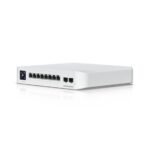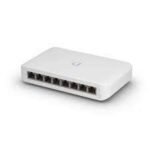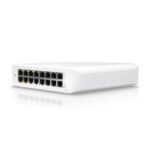
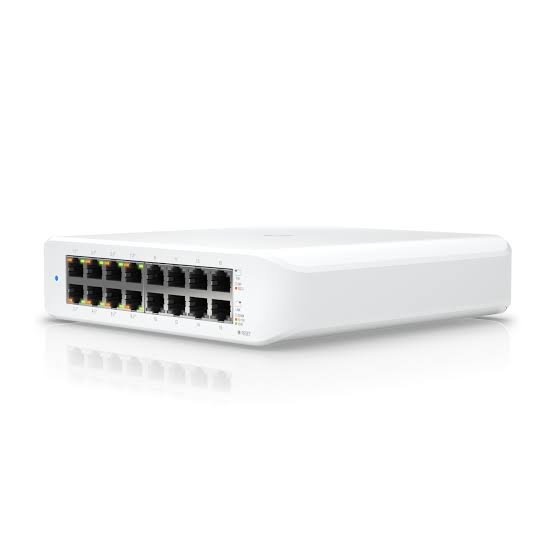
The Ubiquiti UniFi USW-Lite-16-PoE is a fully managed Layer 2 switch with sixteen Gigabit Ethernet ports. Eight of those ports supply 802.3at PoE+ power. Together, they share a 45W PoE budget.
In practical terms, the USW-Lite-16-PoE connects a whole small office from one compact unit. It powers access points, IP phones, and cameras over a single cable each. At the same time, the other eight ports connect computers, printers, and servers.
What the Ubiquiti UniFi USW-Lite-16-PoE Does in a Network
An 8-port switch fills up quickly. Once you add a router uplink, a few PCs, a printer, and two access points, there is no room left. Consequently, many offices end up chaining small switches together.
The USW-Lite-16-PoE solves this with sixteen Gigabit ports in one managed switch. As a result, you get one device to manage, one point of failure, and one power socket.
Furthermore, because the USW-Lite-16-PoE is a UniFi switch, it appears in the same dashboard as your UniFi gateway and access points. Therefore, VLANs and port settings are set once and applied across the network.
Sixteen Gigabit Ports with Eight PoE+ Outputs
The USW-Lite-16-PoE has sixteen RJ45 ports. Each port supports 10, 100, and 1000 Mbps.
The port split is as follows:
- 8 × PoE+ ports (802.3af/at). These power Wi-Fi access points, IP phones, and IP cameras.
- 8 × standard Gigabit ports. These connect non-powered devices or act as the uplink to your router or core switch.
In addition, the PoE+ ports are auto-sensing. They only send power to devices that request it. This means a PC or printer plugged into a PoE port is safe.
PoE Budget: What 45W Can Power
The total PoE budget on the USW-Lite-16-PoE is 45W. This is shared across all eight PoE+ ports. In other words, eight ports does not mean eight high-power devices.
For example, typical loads include:
- IP desk phones – usually 3W to 6W each
- Fixed IP bullet or dome cameras – often 4W to 8W each
- UniFi Wi-Fi access points – most draw between 6W and 13W
As a result, eight IP phones or six to eight low-draw cameras fit within 45W. However, three or four access points can use most of the budget. For this reason, we recommend adding up each device’s rated power before purchase.
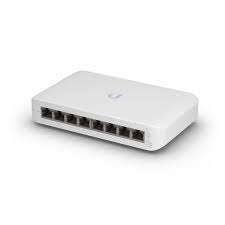
If you need more PoE power, the USW-16-PoE (non-Lite) model offers a larger budget. Similarly, the USW-Lite-8-PoE offers 52W across four ports.
Switching Performance
The USW-Lite-16-PoE switches all sixteen ports at Gigabit line rate. Here is what the figures mean:
- 32 Gbps switching capacity. This is sixteen ports × 1 Gbps × 2 (full duplex).
- 16 Gbps non-blocking throughput. Every port can send and receive at full speed at the same time.
- 24 Mpps forwarding rate. This covers small-packet traffic such as VoIP calls without dropped frames.
- 0.5 MB packet buffer. This absorbs short bursts, such as several users opening large files at once.
- 8,000-entry MAC address table. This is ample for a small or mid-sized office.
Layer 2 Management and Security Features
Although the USW-Lite-16-PoE is part of the Lite range, it includes the full UniFi Layer 2 feature set. This means you can separate and secure traffic properly, even on a small network.
Key features include:
- Up to 1,000 VLANs plus Voice VLAN for separating staff, guest, CCTV, and VoIP traffic
- LACP link aggregation for bonded uplinks
- STP and RSTP with loop protection to stop broadcast storms
- IGMP snooping with querier, fast leave, and router port options for multicast video
- 802.1X control for port-based access
- DHCP snooping and guarding to block rogue DHCP servers
- MAC-based and IP-based ACLs (128 entries each) with device and network isolation
- Port isolation, port mirroring, and MAC-based port restriction
- Storm control, egress rate limiting, flow control, and multicast/broadcast rate limiting
- Jumbo frames and LLDP-MED for automatic phone and device discovery
Managed Through UniFi Network
The USW-Lite-16-PoE is configured in the UniFi Network application and the UniFi mobile app. Once adopted, you can assign VLANs, apply port profiles, and view traffic per port.
Moreover, you can power-cycle any PoE port remotely. For example, if a desk phone or access point stops responding, you can restart it without visiting the site.
In addition, front-panel LEDs show system status, link speed, and PoE activity. Green means a 1 Gbps link, amber means 10/100 Mbps, and a separate amber LED confirms PoE output.
Built-In Power Supply and Compact Design
Unlike the USW-Lite-8-PoE, the USW-Lite-16-PoE has an internal 60W power supply. It runs directly from 100–240V AC mains. Therefore, there is no external adapter to lose or replace.
The switch draws 15W without PoE load and up to 60W with full PoE output. Heat output is 51.2 BTU/hr, excluding PoE.
For Kenyan offices that rely on a UPS or inverter during KPLC outages, this matters. Because the switch also powers phones, access points, and cameras, one UPS on the USW-Lite-16-PoE keeps those devices online during a power cut.
Physically, the unit measures 192 × 185 × 44 mm and weighs 1.2 kg. As a result, it sits on a desk or shelf, or mounts on a wall.
Environmental Ratings
The USW-Lite-16-PoE is rated for ambient temperatures from -15°C to 40°C and 10–90% non-condensing humidity. The enclosure is polycarbonate.
As with any compact switch, leave space around the unit for airflow. This is especially important inside closed cabinets or in warmer locations such as Mombasa.
USW-Lite-16-PoE vs. USW-Lite-8-PoE vs. USW-16-PoE
Buyers often compare the USW-Lite-16-PoE with nearby UniFi models:
- USW-Lite-8-PoE: 8 × GbE, 4 × PoE+, 52W budget, external adapter
- USW-Lite-16-PoE: 16 × GbE, 8 × PoE+, 45W budget, internal power supply
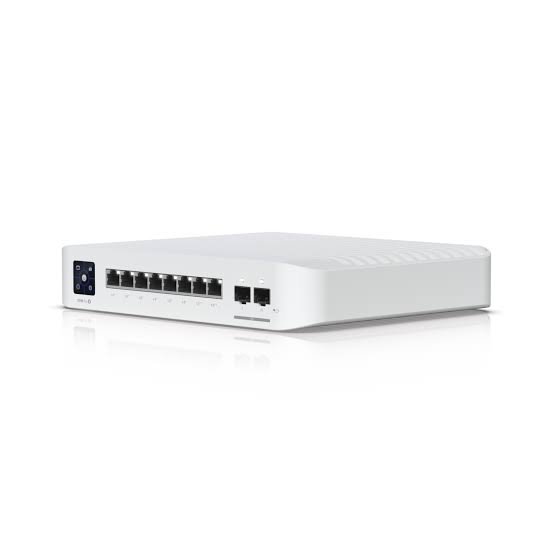
- USW-16-PoE: 16 × GbE plus SFP uplinks, larger PoE budget, rackmount
In short, the USW-Lite-16-PoE suits sites that need many ports but only modest PoE power. Sites with several high-draw access points or cameras should consider the USW-16-PoE.
Frequently Asked Questions
How many PoE ports does the USW-Lite-16-PoE have?
The USW-Lite-16-PoE has eight PoE+ ports. The other eight ports are standard Gigabit ports without PoE.
What is the PoE budget of the USW-Lite-16-PoE?
The total PoE budget is 45W, shared across the eight PoE+ ports.
Does the USW-Lite-16-PoE need an external power adapter?
No. The USW-Lite-16-PoE has a built-in 60W power supply. It connects directly to a 100–240V AC socket with a power cord.
Can the USW-Lite-16-PoE power non-UniFi devices?
Yes. The PoE+ ports follow the IEEE 802.3af/at standard. Therefore, any standards-based PoE camera, phone, or access point can be powered, within the 45W total budget.
Does the USW-Lite-16-PoE have SFP ports?
No. The USW-Lite-16-PoE has sixteen copper RJ45 ports only. It has no SFP or 10G uplink ports.
Do I need a UniFi controller to use the USW-Lite-16-PoE?
The switch passes traffic out of the box. However, VLANs, PoE control, and other managed features need the UniFi Network application. This runs on a UniFi gateway, a Cloud Key, or a self-hosted server.
Who Is the USW-Lite-16-PoE Best Suited For?
- Growing small offices. Sixteen Gigabit ports connect PCs, printers, and servers in one switch, instead of chaining 8-port units.
- Offices with IP telephony. Eight PoE+ ports and a 45W budget power up to eight IP desk phones, while Voice VLAN and LLDP-MED handle phone setup automatically.
- Schools, clinics, and small hotels. 1,000 VLANs keep staff, guest, and admin traffic separate, while 802.1X controls who connects.
- Small CCTV installs with low-draw cameras. Eight PoE+ ports and IGMP snooping support several fixed cameras alongside regular network devices.
- Sites on backup power. A 15W base draw and centralised PoE let one UPS keep phones, Wi-Fi, and cameras running during outages.
- IT contractors and MSPs. UniFi Network allows remote setup, PoE port power-cycling, and firmware updates across client sites.